
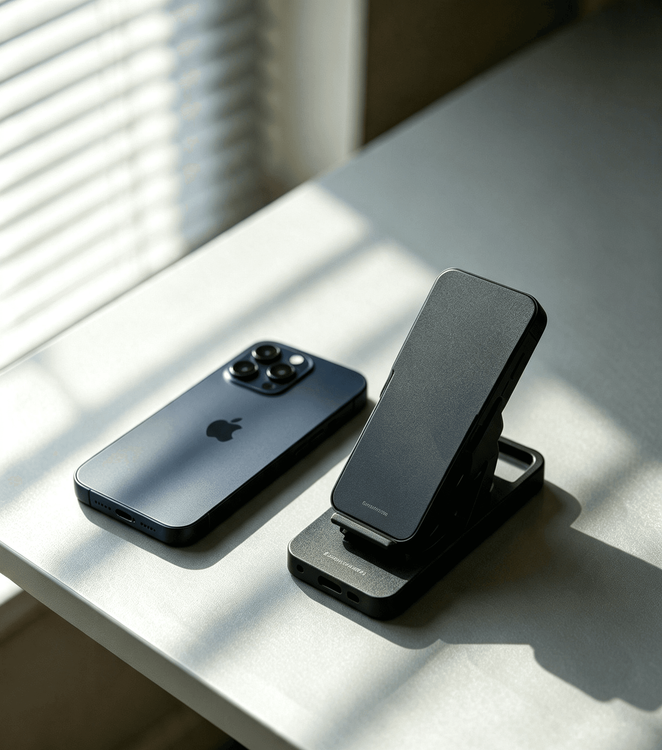
Phone reviews should connect specifications to daily use, support life and ownership cost.
Online trends fool everyone. You see viral cases, coolers, and camera kits, then buy everything on impulse. Most of these items end up forgotten in a drawer. Cheap accessories do more harm than good. They slowly wear out your phone’s internal parts over time.
Tech marketing always overpromises. Every product claims “premium quality” and “perfect performance”. None of these slogans match real daily use. I’ve tested hundreds of accessories and talked to dozens of repair technicians. One simple truth stands out: no accessory works for everyone.
Hype never equals quality. Your daily habits decide what gear you actually need. I cut out all marketing fluff today. I share honest, in-store tested buying tips. You learn what to buy and what to avoid entirely.
Phone Coolers: Skip Peak Wattage Hype — Budget Units Damage Your Phone
Phone coolers are super popular now. Gamers and outdoor creators rely on them daily. Most people buy the wrong model and never realize it.
Brands advertise crazy peak wattage numbers like 35W or 40W. These stats look amazing on product boxes. They mean almost nothing in real use.
Peak cooling only lasts a split second. Continuous use immediately drops performance. Game for 30 minutes, and your phone still overheats. Lag and frame drops never fully go away.
Cheap unregulated coolers create condensation inside your phone. This is a hidden killer most users ignore. Repair shops see this damage every single week.
Big temperature swings build water vapor inside your device. Moisture seeps into motherboard gaps slowly. You notice no issues at first. Problems show up months later: fast battery drain, unstable signals, random crashes.
Shop smart for phone coolers. Follow these clear rules:
- Ignore all peak wattage specs. Brands print them only for marketing.
- Focus on sustained cooling output. A steady 25W output covers all daily use cases perfectly.
- Pick units with smart temperature adjustment. They tweak power in real time and stop condensation buildup.
- Match style to your usage. Use side-air models for horizontal gaming. Choose battery-built coolers for outdoor filming.
- Avoid “instant freezing” coolers. These units harm internal hardware for zero real benefit.
Camera Accessories: Buy Only What You Actually Use
Camera accessories rank top for wasted money. Shoppers buy full bundles blindly. Most people never use 80% of these items.
Lens protectors spark endless online debate. You don’t need a one-size-fits-all answer. Just check your phone type and lifestyle.
Flagship phones use tough sapphire lenses. They resist scratches extremely well. Skip lens protectors for daily indoor and commute use.
Cheap generic protectors ruin photo quality. They block light and create heavy lens flare. Grab high-transparency AR-coated protectors if you spend time outdoors.
Mid-range phones have basic glass lenses. Protect them strategically:
- Use a case with raised lens edges first. This stops direct surface contact entirely.
- Add a premium lens protector only if you want extra safety.
- Never buy ultra-cheap no-brand lens films. They blur every photo you take.
Ring lights and clip-on lenses are creator-only tools. Regular users gain nothing from them. Skip these items for casual daily photography.
Pick soft diffused ring lights if you shoot portraits or night scenes. Adjustable warm and cold tones deliver natural skin tones. They eliminate harsh, ugly shadows.
Choose clip-on lenses carefully for macro and distant shots. Prioritize anti-glare multi-layer coating. Make sure clips fit tight and smooth. Avoid extreme magnification — it distorts regular photos.
Charging Cables & Docking Stations: Safety Beats Fast Charging Numbers
Most people shop charging cables wrong. They only look at wattage. They ignore safety, durability, and transfer speed entirely.
Cheap no-brand cables lack smart control chips. They push unstable current into your phone. This slowly kills your battery capacity over months.
Pick cables based on clear, practical standards:
- Android users choose E-Marker chip cables. They support universal fast charging and fast file transfers.
- iPhone users stick strictly to MFi-certified cables. Unofficial cables trigger errors and damage internal parts.
- Use soft TPE cables for daily commutes. They stay flexible and lightweight.
- Choose braided nylon cables for car and heavy use. Reinforced ports stop fraying and breakage.
- Always confirm flame-retardant material. It prevents overheating and fire risks.
Docking stations are niche tools. Casual users never need them. They only help mobile editors and remote workers.
Select docking stations with metal heat-dissipating shells. Prioritize smooth 4K projection and matched port layouts. They stay stable during long work and editing sessions.
Car & Desktop Stands: Prioritize Stability Over Fancy Looks
Phone stands boost daily convenience. Most trendy models carry useless gimmicks. They shake, flex, and scratch your device over time.
Only two car mount types deserve your money.
Magnetic mounts work for iPhone and modern Android devices. Use certified magnetic ring models. They stay stable on bumpy roads. They never disrupt signal or compass function. Skip cheap high-magnet knockoffs.
Gravity clip mounts fit older non-magnetic phones. Look for soft silicone lining. It protects your phone frame from scratches. Choose thick vent buckles to stop rattling while driving.
Home stands need simple, solid builds:
- Avoid thin plastic bedside stands. They loosen and sag quickly.
- Pick alloy-built cantilever stands. They hold shape and protect furniture with padded bases.
- Skip ultra-light desktop stands. They tip over with simple screen taps.
- Use weighted stands with full non-slip padding. They deliver steady support all day long.
Niche Protective Accessories: Keep Only What Fits Your Life
Stores sell dozens of obscure phone accessories. Most serve zero daily purpose. Shop for your lifestyle only.
Lanyards prevent drops for bare-phone and curved-screen users. Avoid cheap plastic gasket designs. They break easily and scratch frames.
Titanium alloy gaskets work far better. They resist rust and scratches. Wide woven straps feel comfortable for all-day carry.
Port plugs are essential for outdoor users. Dust, sand, and moisture ruin charging ports over time. Use case-attached integrated plugs. They never get lost and block debris effectively.
Gamers can skip separate coolers with smart case swaps. Ditch thick sealed cases. They trap massive heat inside your phone.
Use lightweight graphene heat-dissipation cases. They improve airflow. They stop overheating lag. They still protect against drops and scratches.
Smart Buying Rules: Real Usage Beats Spec Sheets
I follow one core rule after years of testing. Never buy accessories for trends or flashy specs.
Stick to basic gear for social media, texting, and streaming. You don’t need coolers, pro lenses, or docking stations. Save specialty tools for creators and gamers.
Tune out all marketing slogans. They are empty sales talk. Check official certifications every time you shop.
Avoid any accessory that harms your phone. Ditch items that scratch frames, spike moisture issues, drain battery fast, or kill signal strength.
Buy practical, lifestyle-matched accessories only. Shop smart next time you upgrade your phone. Keep more cash in your pocket and your device in perfect shape longer.