

Phone reviews should connect specifications to daily use, support life and ownership cost.
But here’s something almost no one figures out: the worst damage your phone can suffer stays locked deep inside the body. Your phone might look perfect from the outside and never shut down completely out of nowhere, yet slowly grow slower, gobble battery power faster each day without you noticing a thing.
When these weird issues pop up, regular users jump to easy conclusions right away. They think the battery’s worn out, the system has glitches, or cell service is terrible. They pay to swap a new battery in, only to find the problem is still there, unresolved. Funny how nobody ever notices these hidden issues, right? I’ve gone over the checks you should run before replacing a phone battery before — running software diagnostics, testing different chargers to rule out simple bugs and all that. Today I’m talking about a culprit everyone tends to overlook entirely: hidden hardware damage inside your phone. Dropping the device, moisture trapped under the case, constant overheating, messy repairs from unlicensed street repair shops all eat away at internal parts quietly, leaving zero marks on the exterior. These hidden faults can lie dormant for weeks, even months. With daily use wearing down the already damaged components, failures start happening gradually. Mistaking internal hardware damage for battery aging isn’t just throwing money away on useless repairs. Worse still, damaged batteries could swell up later and become a safety hazard.
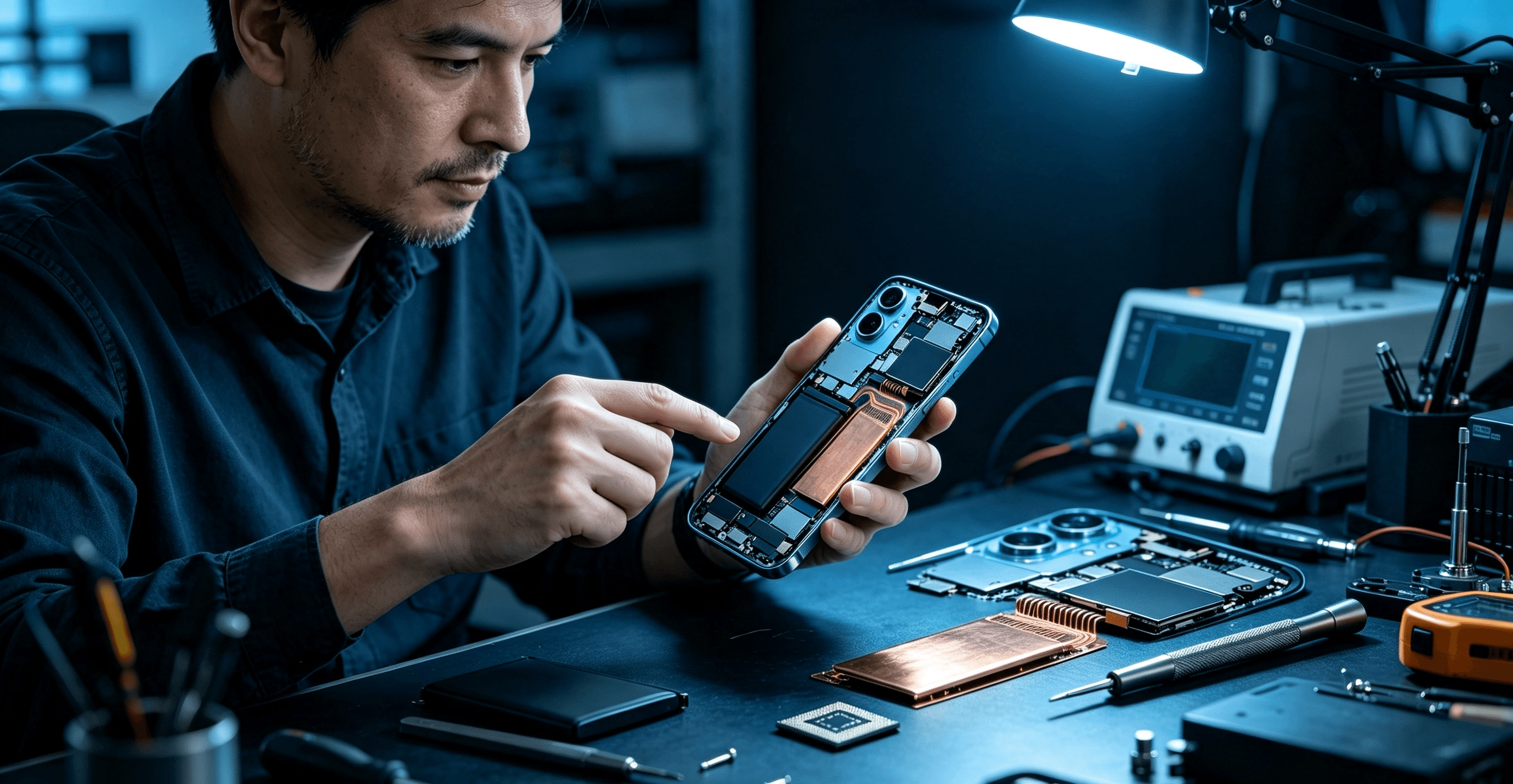
Four hidden types of damage slowly ruining your phone
People lump all invisible phone malfunctions together most of the time, but they actually come from four separate causes. Each has tiny warning signs you can pick up without professional repair tools.
Drop your phone onto a carpet, and it feels totally harmless, right? I’ve done this dozens of times, my screen never cracked once. What you can’t see is the impact force traveling through the metal middle frame straight into tightly packed internal parts. Modern smartphones cram display layers, fragile tiny cables, camera modules and mainboard chips into an extremely cramped frame. Even if the outer screen remains intact, internal parts can suffer permanent damage.
Random phantom taps on the screen, dead touch areas, apps opening on their own — these usually happen when micro-cracks form under the glass and break the touch layer, even if the screen looks fine. In other cases, loose internal display cables cause the screen to flicker randomly or show faint vertical lines. Those lines become more noticeable the hotter the phone gets. If your camera struggles to focus or one lens blacks out occasionally after a drop, the small camera bracket inside has bent slightly from the impact.
Even trickier are tiny cracks forming on the mainboard’s solder points. They cause random restarts, phones stuck looping on the startup screen, Wi-Fi and Bluetooth cutting out for no reason. One single fall might bend the battery too; you could lose around 20% battery just scrolling short videos for a little while. Keep this simple rule in your head: if your phone started lagging badly, overheating constantly and draining battery unusually fast shortly after being dropped, it’s almost certainly hiding internal impact damage. Changing the battery will only cover up the real root problem temporarily.
Phone brands hype up IP67 and IP68 waterproof ratings everywhere in ads, making lots of people think their phones can handle water freely. Truth is, these waterproof standards only protect against accidental dips lasting a few seconds. They cannot stop moisture seeping in bit by bit over time. Steam from hot showers, splashing rain, salty sea wind creeping in all slowly wear down the waterproof adhesive seals through tiny gaps around the charging port.
Your phone doesn’t need to fully sink in water to get corroded inside. Moisture sticks to copper wires and metal contacts on the mainboard, forming oxidized layers over several weeks. Corroded contacts create unstable electrical resistance, triggering a long list of troubles: slow charging, choppy signal, muffled calls where the other person can barely hear you, and crazy standby power loss. By the time fog builds up inside camera lenses or rust appears around the charging port, the circuit board has already sustained damage that can never be fixed. Plenty of folks bring their phones into the shower every day, or shove sweaty phones into sealed pockets after working out. These trivial daily habits end up causing permanent hidden damage before they realize it.
Heat is another silent culprit, wearing down hardware little by little without leaving any marks on the phone’s exterior. Mounting your phone on a car mount sitting under blazing sunlight for navigation, gaming while charging with a thick silicone case or pillow underneath it, filming 4K footage outdoors for hours in summer, using cheap unregulated wireless chargers that make the phone scorching hot — these daily habits pile up and create thermal damage over time.
Prolonged high temperatures wear out internal hardware piece by piece. When the phone’s power regulation system malfunctions and battery drain speeds up drastically, most users immediately assume the battery is old and replace it. They never notice prolonged heat has permanently damaged the power management hardware inside the device already.
Shoddy repairs from unofficial shops also create hidden faults that only break down months after the repair job. Some repair workers cut corners to save time: skip reapplying waterproof glue, scratch mainboard wires with cheap pry tools, twist screws too tight, shift the wireless charging coil out of place. Your phone works perfectly fine when you pick it up from the shop, yet dangers keep building inside.
Broken waterproof seals form invisible gaps that let moisture sneak in easily; mismatched third-party batteries and screens mess up the phone’s power cycle system, sometimes popping up alerts saying the accessory isn’t genuine; squeezed sensor cables will cause proximity sensors, motion sensors to stop working one after another later on. These repair-caused hidden faults are super hard to trace, since people rarely connect a string of later malfunctions to a careless repair months earlier.
Do home checks to find hidden damage
Wondering how to find invisible faults without professional equipment? Pair these tests with the battery inspection steps I shared previously, and you can easily tell whether fast power drain, lagging and overheating come from battery wear or hidden hardware damage. There’s no strict order to follow for these checks, just do whatever’s convenient for you.
Pull up full-screen pure white, black, red, green and blue images on your phone, turn brightness all the way up, then check the screen in a dim room. Uneven brightness, faint thin lines or discolored patches mean micro-cracks under the glass have ruined the display layer. Download a free touchscreen drawing test app, slide your finger across every corner of the screen. Broken, disjointed lines popping up mean there are invisible dead touch zones on the screen.
After that, test every sensor on the phone one by one. Open the compass app and slowly rotate the phone; if directions jump around randomly for no reason, the gyroscope wiring came loose from a fall. Make a test phone call, cover the proximity sensor at the top of the phone with your finger — the screen should turn off right away. Slow or inconsistent responses usually point to damaged wiring. Test each camera lens and zoom features separately, record a short video, check if focusing is slow or the screen flickers while recording.
A standby power test works really well to separate battery issues from hardware faults. Fully charge the phone to 100%, turn on airplane mode, close all background apps, leave it sitting at room temperature for eight hours. A healthy phone will lose no more than 5% battery overnight. If power drops more than 8%, corroded charging circuits, loose battery contacts or heat-burned control chips are far more likely to be the problem than an aging battery.
You can also run a simple heat stress test: scroll social media normally for 20 minutes to warm the phone up to its regular operating temperature. Watch closely if Wi-Fi cuts out randomly or the screen glitches once the phone heats up. Components expand slightly when warm, exposing cracked solder joints and tiny gaps, revealing hidden damage left by previous drops. Shine a flashlight into the charging port; white or green flaky corrosion, bent metal pins, damp clumped lint all signal early-stage moisture corrosion.
Lastly, think back over the past three months. Did you drop the phone, sit on it while it was in your back pocket, or leave it baking under direct sunlight? If malfunctions started appearing one to four weeks after any of these incidents, hold off on buying a new battery and book a full hardware inspection instead.
Common repair misjudgments that waste your cash
Lots of people waste money on unnecessary repairs because they misdiagnose hidden damage. Some replace their battery hoping to fix fast drain caused by corroded charging chips on the mainboard. Naturally, a brand-new battery can’t fix power chaos brought on by corroded circuits, battery drain stays bad, and they end up paying extra to repair the mainboard later.
Others brush off occasional screen ghost taps as minor software bugs and ignore the problem until the screen stops responding entirely. Heat generated while charging keeps expanding internal cracks over time. Getting a technician to reattach loose cables early only costs a tiny fraction of replacing the entire screen assembly later. When Wi-Fi disconnects now and then, many blame faulty routers or poor network services, never realizing a past drop loosened the antenna’s solder joints. Resetting network settings or switching Wi-Fi will never fix physical damage like this.
Cheap repair shops always rush straight into battery replacements and skip complete hardware inspections entirely. To finish jobs faster, they ignore hidden internal flaws, only for faults to break out weeks after the repair. That’s why agreeing to a battery swap without prior checks almost always ends up a waste of money.
Sadly, micro-cracks on internal components and circuit corrosion can’t be reversed once they form; repairs are the only fix. Stick to a few simple daily habits, and you can drastically lower the odds of your phone developing hidden internal damage. Grab phone cases with raised edges around the screen and camera bump — raised rims stop the glass touching flat surfaces directly during falls, spread impact force out, and protect fragile frame corners. Never put your phone in your back pocket; the pressure from sitting down warps the frame, no bend shows on the outside yet internal parts get damaged inside.
Take off thick heat-trapping silicone cases while gaming, charging, or using navigation in summer so heat doesn’t get trapped inside the phone. Thin cheap tempered glass can’t cushion impacts hitting the touch layer under the screen, it’s not worth buying at all. Keep your phone safely stored when walking into steamy bathrooms or visiting seaside areas, to stop moisture and salty wind seeping inside. Choose official brand after-sales centers for repairs whenever possible, to keep the factory waterproof seals and precise component positioning intact.
Book a full professional hardware check if these issues show up
Make an appointment for a complete hardware inspection at an official repair shop right away if your phone has several of the following problems:
Malfunctions only happen once the phone warms up during use;
Battery drain remains severe even after factory resetting the phone and installing a brand-new battery;
The screen looks intact, but touch controls, cameras and sensors start failing weeks after a drop;
Corrosion or lint buildup is visible inside the charging port;
The phone restarts randomly no matter the battery level or which apps you’re running.
Closing thoughts
At the end of the day, battery aging is only one reason phones lag and drain power quickly. Hidden internal damage caused by drops, moisture exposure, heat wear and shoddy repairs creates identical symptoms to worn batteries, yet they need totally different repair solutions. Run simple home checks before replacing your battery, you’ll avoid useless repair costs, stop the phone from dying suddenly, and spot safety risks like swollen batteries ahead of time.
Don’t write off intermittent tiny glitches as silly software bugs. Hidden hardware damage never heals on its own. Catch problems early, you’ll extend your phone’s service life and avoid the expensive bill of replacing a mainboard or full screen later down the line. It’s really not worth skimping on checking these small details.