
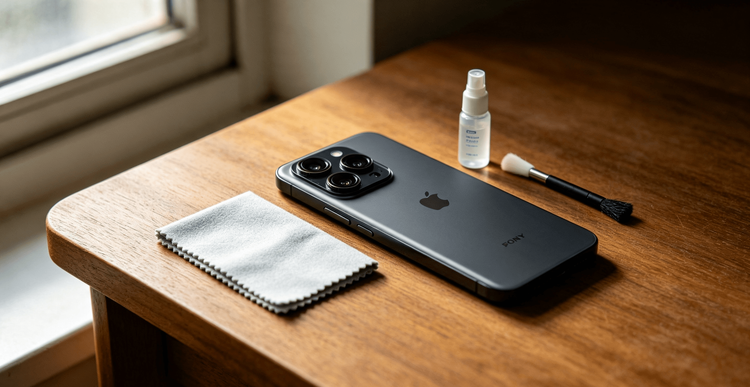
Camera notes should explain how the phone behaves outside perfect launch-event samples.
This guide skips generic online tips. It comes from my real repair and field testing experience. I share simple home checks and a costly mistake I learned from firsthand.
Hidden Camera Damage Most People Miss
Your camera lens glass looks tough. It is fragile underneath.
Small daily habits wear down camera hardware over time. You will not notice changes day to day. You will see flaws in every photo later.
Three key weak points kill phone camera quality:
1. Lens anti-reflective coating
This coating is ultra-thin. Micro scratches and chemical residue eat it away. Night photos suffer the most. Street lights turn into blurry, washed halos. No amount of cleaning fixes this permanent damage.
2. Internal sensor dust
Tiny gaps around the camera bump let fine dust seep in. Dust lands straight on the sensor. Fixed dark spots show up on every photo. Wiping the outer lens does nothing here.
3. OIS stabilizer wear
Sharp drops and steady vibration loosen internal stabilizer parts. Your videos start to jitter. Your camera hunts for focus nonstop. Most people blame software updates. Hardware wear is the real cause.
My Costly Personal Camera Mistake
I used a flagship phone for all my field photography years ago. I kept it in my work pocket with keys and travel hand sanitizer.
I thought the raised camera bump kept the lens safe. I was wrong.
I wiped smudges with random paper tissues daily. After seven months, my night photography fell apart. Every light source created heavy flare. Faint spots stayed fixed across every frame.
I sent the phone for inspection. The results were clear. Sanitizer fumes chemically etched the lens coating. Pocket grit left invisible micro scratches on the glass.
I paid $220 for a full camera module replacement. That expensive fix taught me to change my daily camera habits entirely.
Daily Camera Care Routine (Easy & Effective)
Use these simple steps to protect your camera long-term.
-
Use only proper cleaning cloths
Grab a clean microfiber optic cloth. Eyeglass cloths work perfectly. Skip paper tissues, napkins, and shirt fabric. These materials hold abrasive fibers that scratch lens glass. Add one tiny drop of lens-safe liquid for tough grease. Always apply liquid to the cloth, not the camera directly. Liquid seeps inside and breaks internal parts. -
Separate your phone from rough items
Keep keys, coins, and sand away from your phone’s camera side. Cases do not offer full protection. Fine sand slips under case edges and scuffs the lens. Sand scratches harder than metal. -
Avoid sanitizer and chemical mist
Alcohol-based sanitizers ruin lens coating over time. Floating mist lands on your camera every time you sanitize your hands. Wipe off any splashes right away with a dry microfiber cloth. -
Skip high-vibration mounts
Strong steady vibration loosens OIS parts. Do not mount your phone on motorcycle handlebars without vibration-dampening gear. Long rides slowly break your camera’s stabilization system.
30-Day Quick Camera Health Checks
Test your camera monthly to catch damage early.
- Wipe the lens fully clean. Shoot a plain white wall or clear sky. Check for fixed dark specks in the frame. These specks mean internal dust buildup.
- Take night photos of street lights. Watch for constant, heavy flare. Flare that never fades signals damaged lens coating.
- Record 10 seconds of handheld video. Look for jittery motion and slow focus shifts. These issues point to worn stabilizer hardware.
Never take your camera apart yourself. Amateur disassembly ruins water resistance and traps more dust. Visit an official repair shop for internal issues.
Bad Accessories That Ruin Camera Quality
Many popular accessories quietly hurt your camera performance.
Low-quality lens protectors block light and create ghosting. They add heavy flare to night shots. Test your night photos right after installing a lens cover. Remove it if you see consistent distortion.
Ill-fitting cases rub against the camera bump every time you set your phone down. They leave repeated scuff marks on the lens glass. Swap cases if you spot steady wear.
Clean your lens tonight and run the quick white-wall test to check your camera’s real condition.